Book
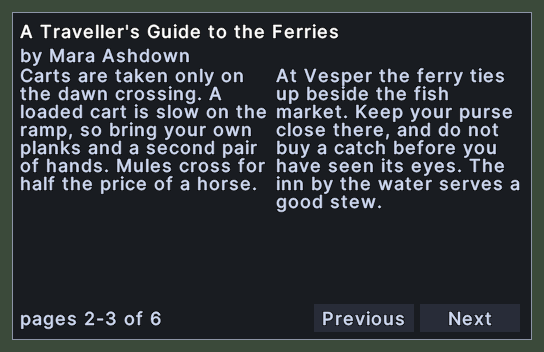
The book window is where you read a book, and where you write in one that is yours. It shows the book's title and author, two facing pages of text, and the page numbers at the foot. Buttons at the foot turn the pages.
The book opens on its title page, with page one facing it. After that, each turn moves two pages.
Opening it
- Double-click a book in your backpack, or in any container or on the ground, and the server opens it.
- A right-click anywhere on the window closes it. If you were writing, the spread you have on screen is sent to the server first.
Using it
- Click Next to turn to the next two pages. The button disappears at the end of the book.
- Click Previous to go back two pages. The button disappears on the title page.
- Click Edit, in a book that is yours to write in, to type on the pages. Click Okay to send what you wrote.
- While you write, click a page and type. On the title page you can also change the title.
- Turn a page, or close the book, to send what you wrote on the spread you are leaving.
- Right-click to close the window.