Chat
The chat window shows everything that is said around you and to you, one line after another, each in the colour of its channel. A row of tabs across the top picks which channels a tab shows, so one tab can hold only party and guild talk while another holds everything.
Each line starts with the name of whoever spoke. System messages, such as skill gains and gold picked up, have no name in front. The newest line sits at the foot of the window. The typing line stands under the window and is described on its own page.
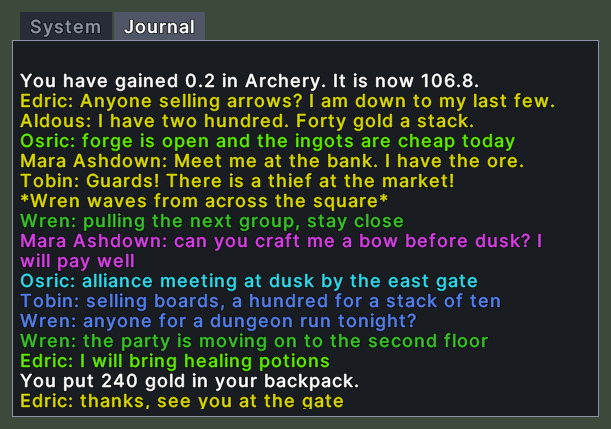
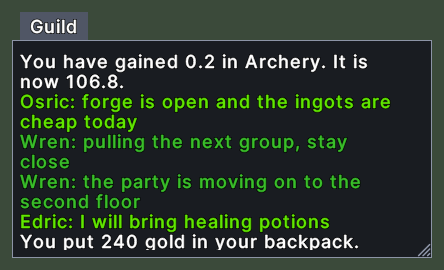
Opening it
- The chat is on when you enter the game.
- The key that starts a line of chat shows the chat and puts the cursor in the typing line.
- The Chat log action, in the Menu Actions group of the Actions window, puts the chat away and brings it back. You can put the action on a hotbar. The chat keeps its lines while it is away.
- A tab that stands apart has a window of its own. The window goes away when you put the tab back or remove it.
- A plain right-click does not close the chat.
Using it
- Click a tab to show it. The tab you chose stays chosen the next time you play.
- Roll the mouse wheel over the lines to scroll back to older ones.
- Shift+right-click a tab to open its menu. Chat Filters lists the channels, with a tick on each channel the tab shows, and clicking one shows or hides it. New Tab adds a tab, and Rename Tab asks for a name. Extract takes the tab out into a window of its own, and Re-Integrate puts it back. Remove Tab deletes it. The last tab in the row cannot be removed or taken out.
- Shift+right-click the lines, or the window around them, to open the chat menu. It has Speak on, Channels, Friends and Ignore Player. The same menu opens from the button at the left end of the typing line.
- Drag the corner grip to resize the chat. A tab in a window of its own has its own grip and keeps its own size.
- Drag the chat window to move it.
Changes
v1.0.0-alpha.1
- The chat has a menu for channels, Global Chat friends and ignore lists.