Debug Log
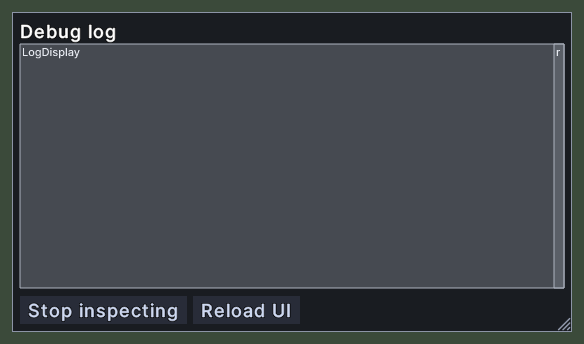
The debug log shows the client's own log inside the game, with errors in red, debug lines in yellow, function calls in green and other lines in white. It is a tool for finding out what the UI and the client are doing, and it has an Inspect button that names the window under your cursor.
Opening it
- Type /debug in chat. This works only in a debug build of the UI. Typing it again closes the panel.
- Right-click the panel to close it. Closing the panel turns Inspect off.
Using it
- Read the log in the middle. Drag the scroll bar at its right edge to move through the lines.
- Click Inspect to start looking at windows. Move the cursor over a window and a white frame outlines it, and a description of the window is written to the log. The button now reads "Stop inspecting".
- Click Stop inspecting to stop.
- Click Reload UI to load the UI again.
- Drag the panel to move it.
- Drag the corner grip to resize the panel.
- Right-click to close the panel.