Server Dialogs
A server dialog is a window that the game server asks the client to show. It holds a message and a button for each answer, and it ends when you answer or close it. Travel menus, reward confirmations, text questions and runebooks all arrive this way.
Every dialog opens in the middle of the screen. A message with buttons shows the message at the top. Two short answers stand side by side. Any other number of answers stand one under another. A runebook and a text question have a layout of their own.
Opening it
- A dialog opens when the server sends it, for example when you talk to a travel guide, use an item that asks a question, or confirm a reward.
- Using a runebook opens its dialog.
- A dialog closes when you answer it. The server can also take a dialog away.
- A right-click anywhere on the dialog closes it and tells the server that you chose nothing. On a text question, the right-click counts as Cancel.
Using it
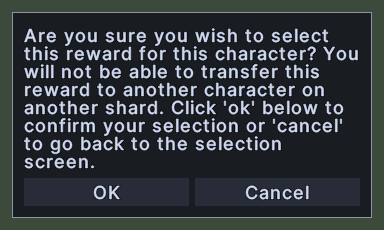
- Click a button to give that answer. The dialog then closes.
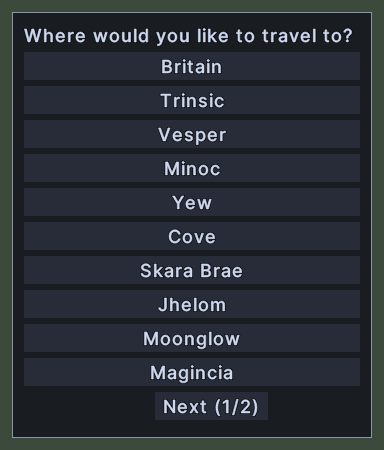
- Click Next to see more choices, and Previous to go back. Next appears only when there is a page after this one, and Previous only when there is a page before it.
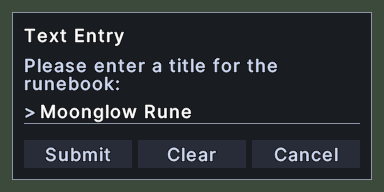
- On a text question, type your answer in the box, which has the keyboard focus when the question opens. Press Enter or click Submit to send it. Press Escape or click Cancel to send nothing.
- Click Clear on a text question to empty the box.
- A text question that takes plain letters only refuses other characters. It shows a warning under the question and empties the box.
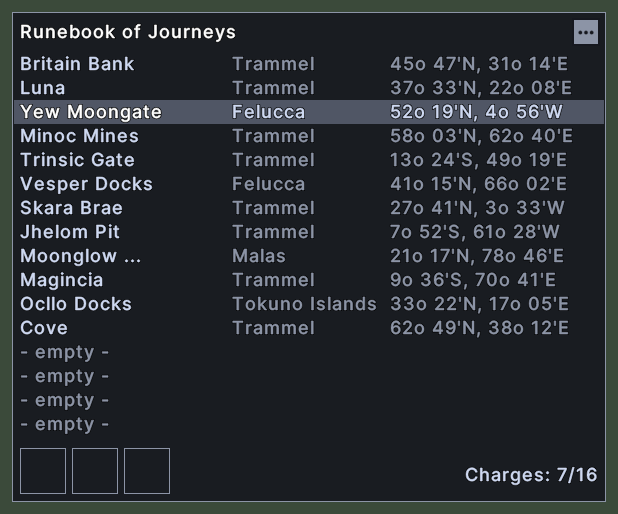
- A runebook opens with its first rune chosen. Click a row to choose another rune. The travel buttons are dim while no rune is chosen, as in a book with no runes.
- Click a travel button in a runebook to travel to the chosen rune. Hover over a button to read its name.
- Click the three-dot button at the top right of a runebook, or Shift+right-click a rune, to open a menu with the verbs for the chosen rune and the book, such as Set Default and Drop Rune. The menu can also hold Rename Book, and on some books Rename Rune, Move Up and Move Down.
- Hover over the three-dot button to read the chosen rune's whole name.
- Right-click to close the dialog.