Hotbar
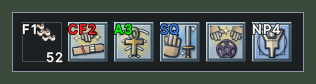
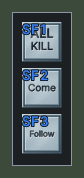
A hotbar holds actions that you use with a click or a key, such as spells, skills, items, macros and the shortcuts to this UI's windows. Each slot shows its action's picture and the key bound to it, even when the slot is empty.
A slot that holds an item shows how many of that item you carry, and its picture fades when you have none. While a spell is being cast, its slot is tinted red. After you use a potion or a bandage, the seconds until you can use it again count down over its slot.








Opening it
- Every hotbar your character has opens when you log in, including the bars the default UI made.
- A new character also gets a bar of shortcuts to this UI's windows, such as the paperdoll, the backpack and the skills list. A character that already has the default UI's bar of window buttons does not get this bar.
- Shift+right-click the edge of a bar and choose New Hotbar to add a bar.
- Shift+right-click the edge of a bar and choose Destroy Hotbar to remove that bar. It asks first. The first bar cannot be removed.
- A right-click does not close a hotbar, so that a missed click in a fight cannot lose your bar.
Using it
- Click a slot, or press its key, to use its action.
- Drop an action or an item on a slot to put it there. If something is already on the cursor, a click on a slot drops it there instead of using the slot.
- Drag an action from one slot to another to move it.
- Drag an empty slot to move the whole bar. With the Lock the layout setting on, neither the bar nor its slots can be dragged.
- Hover over a slot to see the action's name, with its key and what it aims at. An item also shows its properties.
- Hover over the edge of a bar to see the bar's name, once you have given it one.
- Shift+right-click a slot for its menu. From there you can assign a hotkey, clear the hotkey, clear the item and choose what the action aims at. Some slots also offer a spell's form, a macro's repeat, or Edit Item.
- Shift+right-click the edge of a bar for the bar's menu. Set Text names the bar, Change Handle Color colours its edge, Slots sets how many slots it shows, and Upright stands it on end.
Changes
v1.0.0-alpha.1
- Your hotbars, key bindings and settings carry over between this UI and the default UI, both ways.
- Hotbars are moved by dragging an empty slot. A slot shows how many of an item you carry, and counts down the wait after a potion or a bandage.