A menu is a short list of choices that opens beside the pointer. Each row is one choice. A tick at the right of a row marks the choice that is in force, a dimmed row is not available now, and an arrow says that the row opens a group of more choices beside it. A thin line above a row starts a new group of rows.
Many parts of the UI use this one menu: the hotbar, the chat, the map, the skills list, the paperdoll, the main menu, a macro's steps, and the menus that the server offers for a pet. What the rows say depends on what opened the menu.
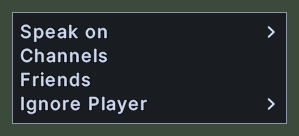
The chat's menu, with Speak on, Channels, Friends and Ignore Player. Speak on and Ignore Player have arrows, because each opens a group of choices.
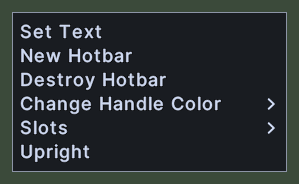
The menu of a hotbar itself, with Set Text, New Hotbar, Destroy Hotbar, Change Handle Color, Slots and Upright. Change Handle Color and Slots open groups.
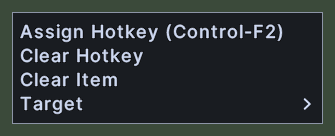
The menu of one hotbar slot. Assign Hotkey shows the slot's key beside it, here Control-F2. Clear Hotkey and Clear Item follow, and Target opens a group.
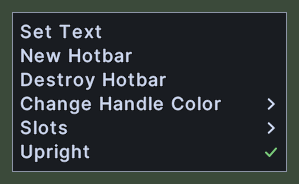
The menu of a bar that stands on end. Upright has a tick, and a click on it lays the bar across.
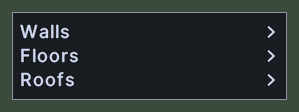
The menu of the storey visibility button in the house designer. Walls, Floors and Roofs each open a group of three choices.
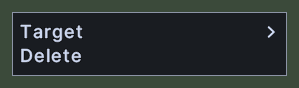
The menu of one step of a macro. Target opens a group, and Delete takes the step out.
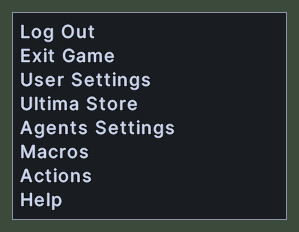
The main menu, with Log Out, Exit Game, User Settings, Ultima Store, Agents Settings, Macros, Actions and Help.
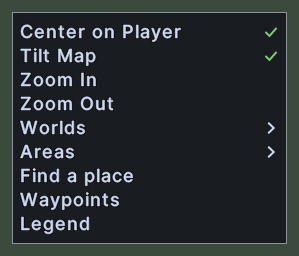
The menu of the world map's three dots. Center on Player and Tilt Map are ticked. Zoom In and Zoom Out follow, then Worlds and Areas, which open groups, then Find a place, Waypoints and Legend.
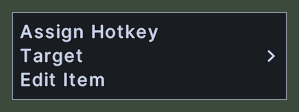
A menu opened near the right edge of the screen, with Assign Hotkey, Target and Edit Item. Its group has no room on the right, so the group opens on the left. See the Submenu page.
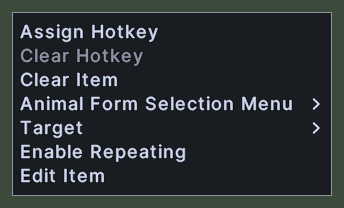
The menu of a hotbar slot that holds the Animal Form spell. Clear Hotkey is dimmed, because the slot has no key. The menu also offers a group of animal forms, a group for the target, Enable Repeating and Edit Item.
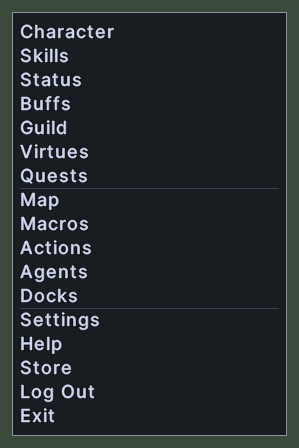
The menu behind the three dots on your own paperdoll. Its rows run from Character to Exit in three groups, with a line above Map and above Settings.
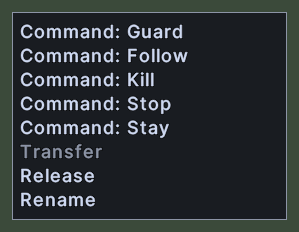
A menu from the server for a pet that you right-clicked, with the commands Guard, Follow, Kill, Stop and Stay, then Transfer, Release and Rename. Transfer is dimmed, because it is not available now.
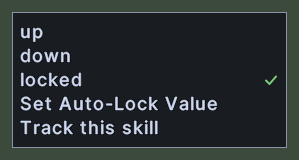
The menu of one skill in the skills list. The rows up, down and locked set the skill's lock, and a tick marks the lock now in force. Set Auto-Lock Value and Track this skill follow.
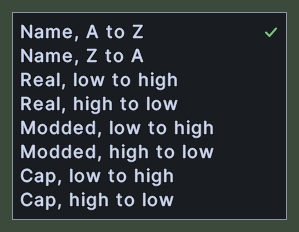
The menu of the skills list's sort button. It offers the orders Name, Real, Modded and Cap. Name runs A to Z or Z to A, and the others run low to high or high to low. A tick marks the one now in force.
Opening it
Shift+right-click a hotbar slot for the slot's menu, or the edge of a hotbar for the bar's menu.
Shift+right-click a step in the Macros window for the step's menu.
Shift+right-click a skill in the skills list for the skill's menu.
Click the three dots at the left end of the chat's typing line for the chat's menu.
Click the three dots on the world map for the map's menu, or Shift+right-click the map window outside its picture. Click the three dots on your own paperdoll for the paperdoll's menu.
Click a drop-down box, such as the profile picker in the Organizer, to open its list under the box. A list of more than ten rows scrolls.
Click the sort button of the skills list, or the storey visibility button of the house designer, for their menus.
Use the Main Menu action, from the Actions window or a hotbar, for the main menu.
Right-click a pet in the world for the server's menu for it.
The menu opens beside the pointer. Near an edge of the screen, it moves back so that it stays whole.
Choosing a row closes the menu. A click anywhere else closes it too.
Using it
Click a row to do what it says. The menu closes first, then the choice is carried out.
Hover over a row with an arrow to open its group beside it. Hover over a row without an arrow to close the group.
A dimmed row does nothing when clicked.
Roll the mouse wheel over a long list to scroll it.