Paperdoll
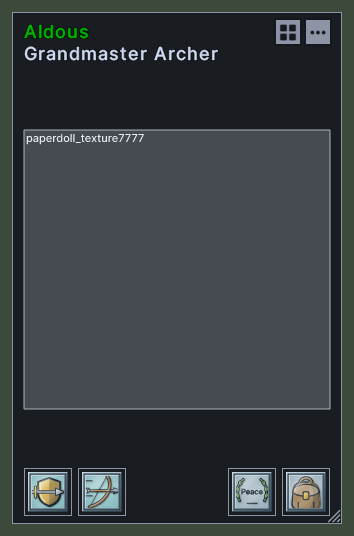
The paperdoll shows what a character is wearing, and lets you put gear on and take it off. The character's name stands at the top in the colour of their notoriety, with their title on a line under it.
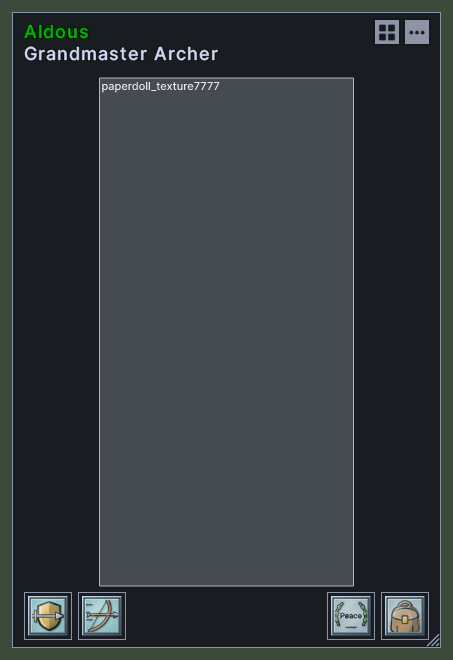
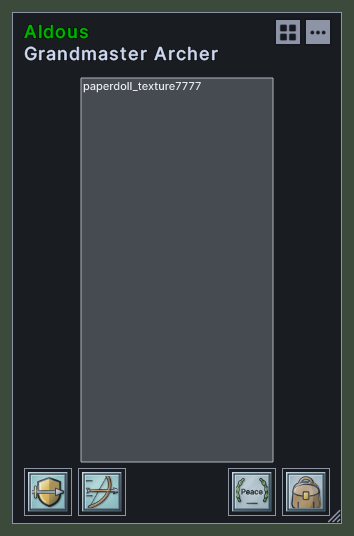
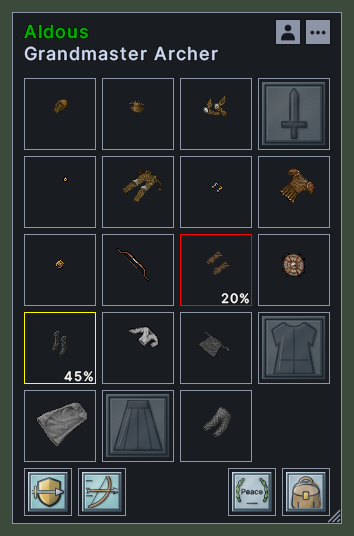
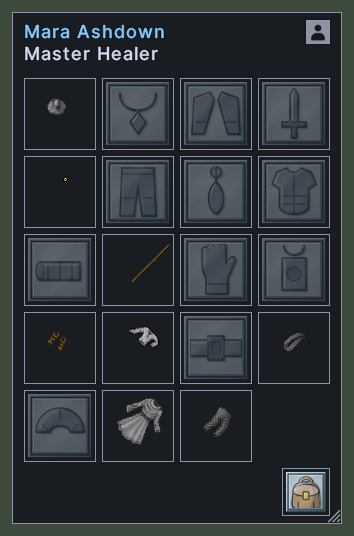
The window has two views. The gear view shows a square for each place on the body, with a faint outline in each empty one. The picture view shows the character as the game draws them. A piece of gear that is wearing out gets a yellow frame at half its durability and a red frame at a quarter, with the percent left in its corner.
Your own paperdoll has more along its foot: a square for war and peace, a square for each special ability you can use, and your backpack. Another character's paperdoll shows only their gear and their backpack.
Opening it
- The Character Window key in the client's key settings opens your own paperdoll, and closes it again.
- The Paperdoll action, in the Menu Actions group of the Actions window, opens or closes your own paperdoll. You can put the action on a hotbar. The default UI's Character command does the same.
- Double-click another character in the world, or their row in the party bar, to open their paperdoll.
- The Block Other Paperdolls setting stops other characters' paperdolls from opening. Your own still opens.
- A right-click anywhere on the window closes it. Your own paperdoll opens again where you last left it.
Using it
- Hover over a piece of gear to see its name and properties. This works on the squares and on the picture.
- Double-click a piece of gear to use it.
- Drag a piece of gear off the paperdoll to take it off.
- Drop a piece of gear on the paperdoll to wear it. Drop it on a square or on the picture to aim at that place.
- Click the view switch in the top right corner to change between the gear view and the picture view. Its hover says which view it moves to, and the paperdoll remembers your choice.
- On your own paperdoll, click the three dots in the top right corner, to the right of the view switch, for a menu of your windows, such as Character, Skills, Map and Settings. The menu ends with Log Out and Exit, and both ask first.
- On your own paperdoll, click the war square to change between war and peace. Its frame is red in war mode, and its hover names the mode.
- Hover over an ability square to read what the ability does. Double-click it to make the ability ready, and its frame turns green. Drag it onto a hotbar to keep it there.
- Click the backpack square to open the backpack. On another character's paperdoll, this tries to look inside their pack. Hover over it to see the backpack's properties.
- When the character has a title or the name is cut off, hover over the name to read the whole line.
- Drag the corner grip to make the paperdoll larger.
- With the Wheel resizes panels setting on, the mouse wheel makes the window larger or smaller.
- Shift+right-click a piece of gear to open its menu.
- Right-click to close the window.
Changes
v1.0.0-alpha.1
- The paperdoll has a gear view and a picture view, with your backpack, your war square and your special abilities along its foot.