Key Prompt
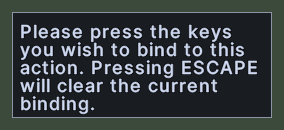
The key prompt is a small box near the top of the screen that asks you to press the key you want for an action. It reads: "Please press the keys you wish to bind to this action. Pressing ESCAPE will clear the current binding."
The box has no buttons. It waits for your next key press, and the client records that key for the action that asked.
Opening it
- Shift+right-click a hotbar slot and choose Assign Hotkey.
- Click the key button in the Macros window, when the chosen macro has no key. The button reads No Key Binding. When the macro has a key, a click on the button clears the key instead.
- Click one of the commands in the key settings of the Settings window, then press the key you want.
- The box goes away as soon as you press a key, or when the client cancels the recording.
Using it
- Press the key that you want for the action, with a modifier such as Control or Alt held if you like.
- The prompt says that pressing Escape clears the action's current key.
- If the key already belongs to a hotbar slot, a macro or a command that this UI can change, a window names the owner and asks whether to move the key. Answer yes to take the key from that owner.