Spellbook
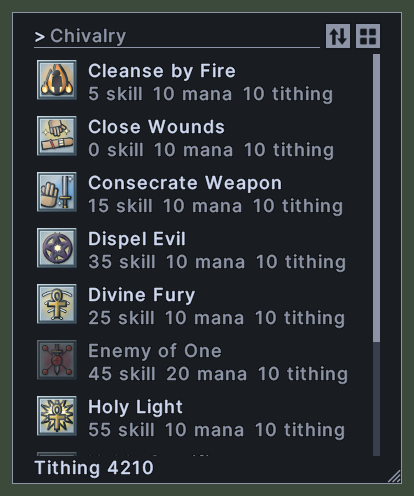
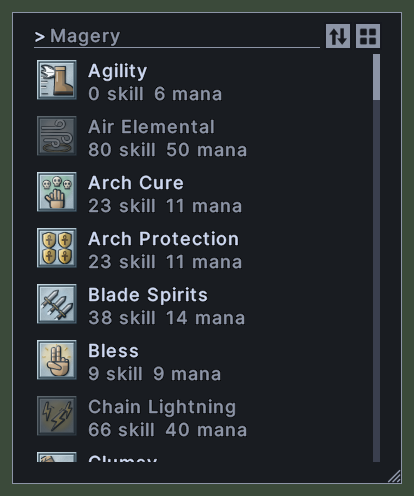
A spellbook window shows the spells of one book, such as a book of Magery, Necromancy or Chivalry. Each row shows the spell's picture and name and what it costs to cast, such as the skill it needs and its mana. A book of Chivalry also shows tithing points, and the foot of the book shows how many tithing points you have.
A spell that the book does not hold yet is faded, and it cannot be cast or picked up.
Opening it
- Double-click a spellbook to open it. The window opens beside the pointer.
- A right-click anywhere on the window closes it.
Using it
- Type in the box at the top to show only the spells whose names match. Press Escape to empty the box.
- Click the sort button to choose an order: by name, or by the costs the book shows, such as skill, mana or tithing. Each order runs upward or downward, and the book remembers your choice. A book of masteries has no sort button.
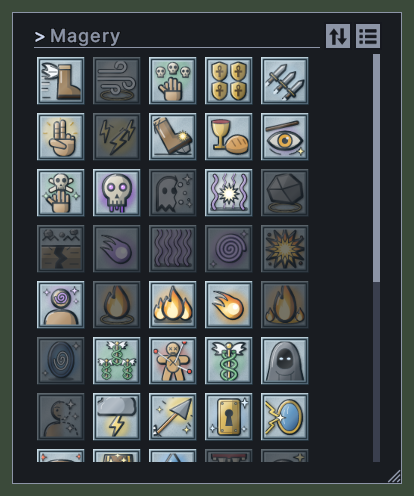
- Click the view switch to change between the list and a grid of pictures. The book remembers your choice.
- Double-click a spell to cast it.
- Drag a spell onto a hotbar to keep it there.
- Hover over a spell to read what it does and what reagents it needs.
- Roll the mouse wheel over the list to scroll it.
- Drag the corner grip to resize the window.
- Right-click to close the window.
Changes
v1.0.0-alpha.1
- Spellbooks have a find box and show a list or a grid of pictures. A book of masteries groups its spells by skill.